
Chapter 3 of 15
Subscription and invoices
How to see your plan and renewal date, upgrade your plan, change your card, cancel your subscription and download your invoices.
In this guide
Everything related to payments is managed from your account at host.appalbania.com/account, not from the hosting panel. This chapter covers your plan, changing it, your card and invoices.
How payment works
Payments are made by card through Stripe, a secure payment service. At signup you can pay by card, Apple Pay or Google Pay. Your subscription renews automatically on the renewal date with the saved card, and each payment creates an invoice on the Invoices tab.
See your plan
On the Overview tab you find the plan card with:
- the plan name and price;
- the renewal date, meaning the date your subscription is charged again;
- the number of sites, for example 1 of 1, with a bar showing usage;
- the Manage subscription button, which takes you to the Subscription tab.
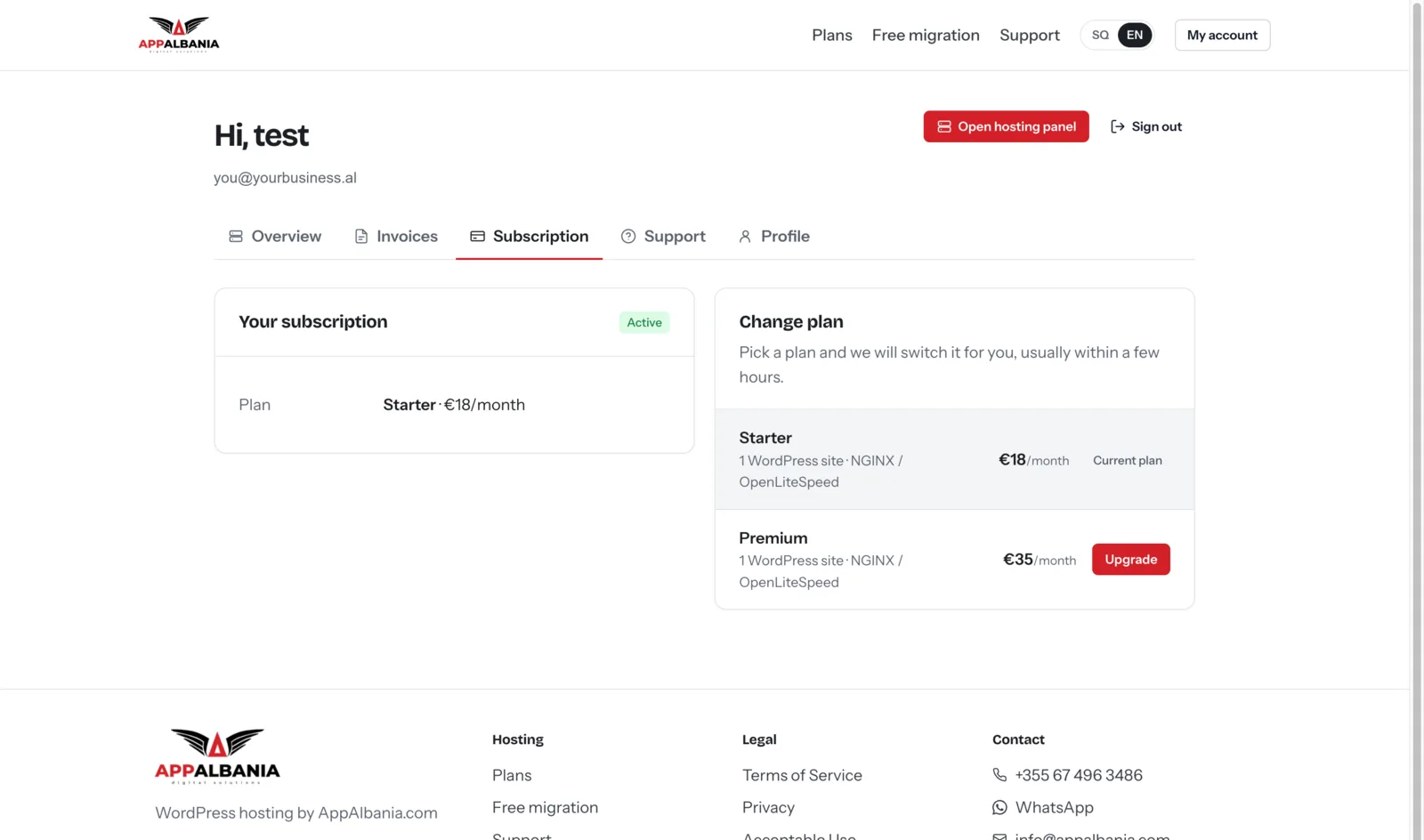
Upgrade your plan
- Open the Subscription tab.
- Under Change plan, find the plan you want.
- Click Upgrade.
- If your account pays by card, the secure checkout page opens. Complete the payment.
- If online payment is not available for your account, the system sends a request to the team and we contact you.
When you change plan, the prorated amount is shown, meaning the difference only for the days left until renewal. You do not pay twice for the same days.
To compare plans, see the plans.
Change your card
For card subscriptions, your card and billing details (name, address) are managed in a secure portal from Stripe, the service that processes payments.
- Open the Subscription tab.
- Click the card and billing details link.
- In the portal that opens, add the new card or update your billing details.
- Return to your account when you are done.
Card details are stored by Stripe; we do not see your full card number.
Cancel your plan
Cancelling is an important action, so it needs confirmation.
- Open the Subscription tab.
- Click Cancel plan.
- In the pop-up, type the word
cancelto confirm. - Confirm the cancellation.
Before cancelling, make sure you have a full backup of your site in your own storage. See Backups. If you are cancelling because of a technical problem, write to support first — the problem can often be solved quickly.
Invoices
The Invoices tab lists all invoices paid by card through Stripe.
- Open the Invoices tab.
- Find the invoice by date.
- Use the invoice link to view or download it.
Download your invoices regularly if you need them for accounting.
Common questions
Where do I see when my subscription renews?
On the plan card in the Overview tab.
A payment failed. What should I do?
Check or change your card through the card and billing details link on the Subscription tab. If the problem continues, open a ticket.
Does changing plan affect my site?
Plan changes are made from your account; your site, domain and files stay where they are.
I have a question about an invoice. Where do I write?
Open a ticket from the Support tab or at support and include the invoice date. This helps the team find it quickly.
Need help? Open a ticket at support or email us at info@appalbania.com.