
Chapter 10 of 15
Backups
How to connect your own storage (Amazon S3, Cloudflare R2, Wasabi and more) and select it for your site's backups in the hosting panel.
In this guide
A backup is a full copy of your site that you use to restore it if something goes wrong. With AppAlbania Host, backups are written to storage that you own, so the copies always stay under your control.
How it works
There are two steps:
- Add a storage account (a "provider") on the panel's Backup storage page.
- Choose that account in your site's backup settings.
The panel puts it like this: "Your backups are written to storage you own. Add an account below, then choose it in a site's backup settings."
Supported storage services
You can use one of these cloud storage services:
- Amazon S3
- DigitalOcean Spaces
- Cloudflare R2
- Wasabi
- Google Cloud Storage
- Custom (S3 Compatible) – any other service that works with the S3 standard.
You open the account yourself with the service you choose. There you create a "bucket" (a storage folder in the cloud) and an access key. The key has two parts: the Access Key ID (like a username) and the Secret Access Key (like a password).
Create a separate access key just for backups, with permission only for the backup bucket. That way, if the key ever leaks, the rest of your storage account stays safe.
What you need before you start
- An active account with one of the services above.
- A bucket created only for this site's backups.
- An Access Key ID and a Secret Access Key with read and write permission on that bucket.
- For Custom (S3 Compatible): the connection details your service gives you.
The Secret Access Key is usually shown only once, when you create it. Copy it straight away.
Add a storage account
- From host.appalbania.com/account click Open hosting panel.
- Open the Backup storage page.
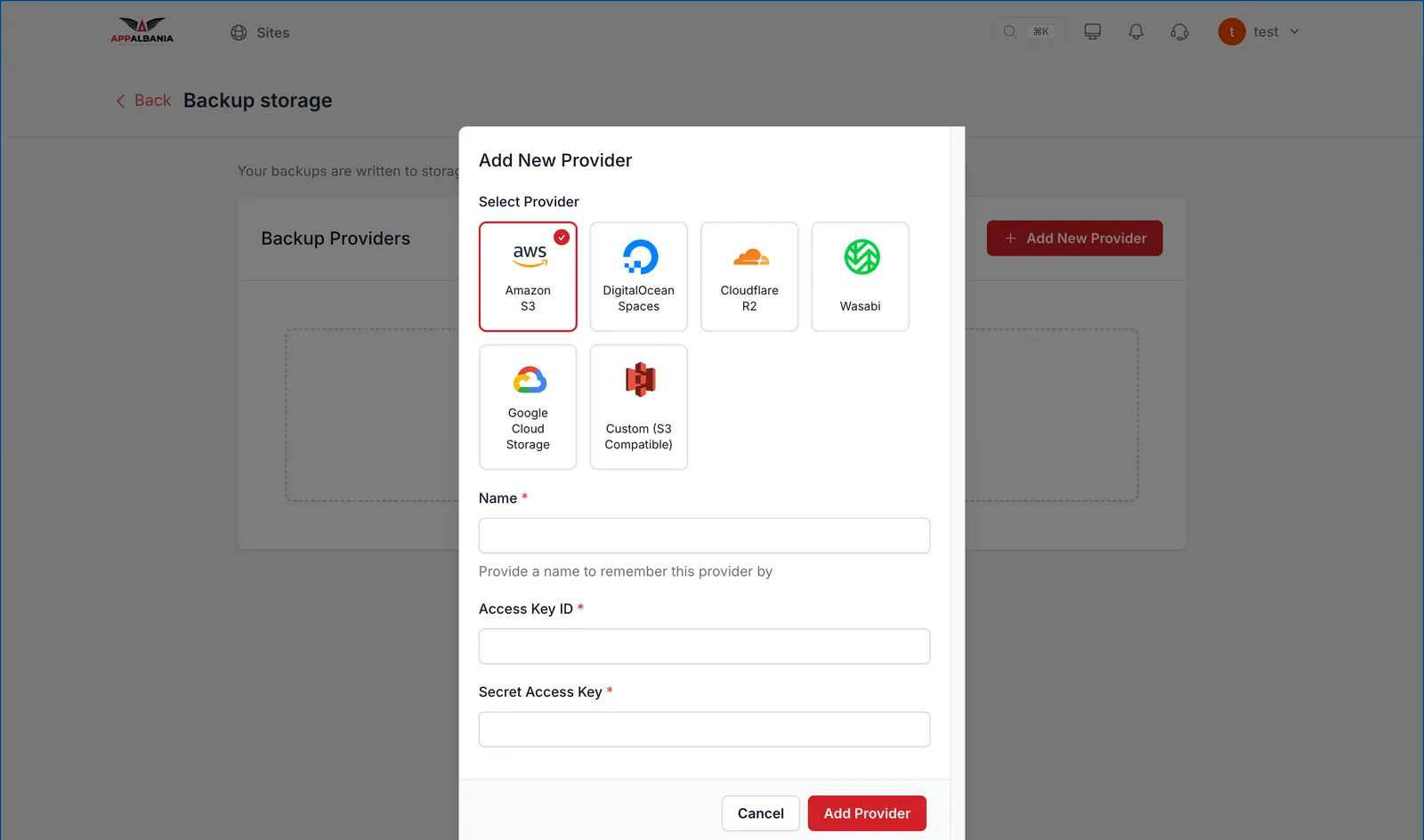
- Click Add New Provider.
- Under Select Provider choose your service, for example Cloudflare R2.
- Fill in Name (a name you will recognise, e.g. "Site backups"), Access Key ID and Secret Access Key.
- Click Add Provider.
Select it for your site
- In the panel open your site and go to Backups.
- In the backup settings choose the storage account you just added.
- Save your changes.
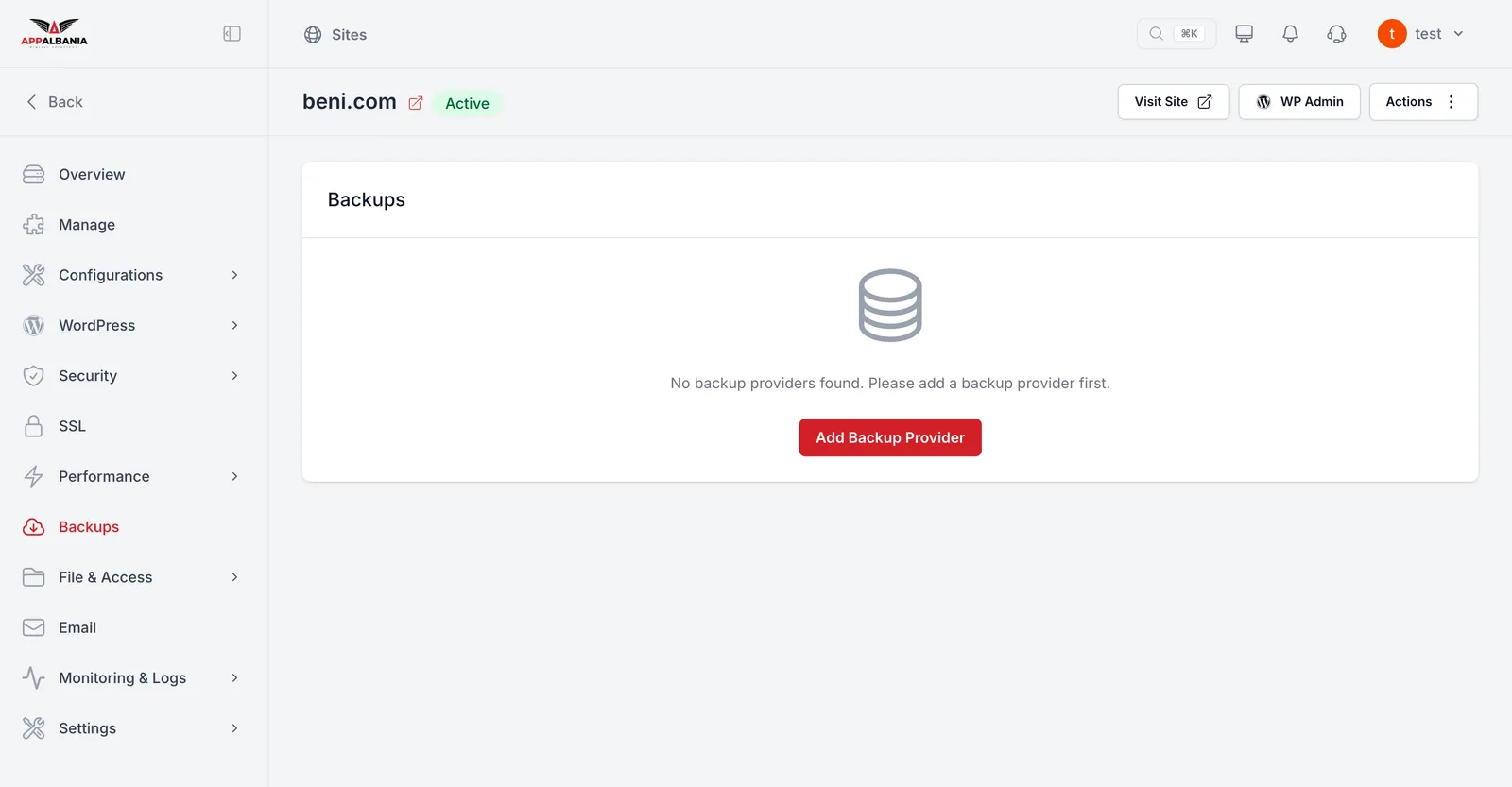
If the Backups page shows "No backup providers found", you have not added a storage account yet. Click Add Backup Provider and follow the steps above.
Good habits
- Take a backup before big changes: before updating WordPress, switching theme or installing a new plugin.
- Check now and then that new backups are appearing in your bucket.
- Do not delete the storage account or change its key without also updating it in the panel, otherwise backups cannot be written.
- Keep your keys somewhere safe, such as a password manager. Do not send them by email.
- Keep an eye on costs with your storage service. Storage is billed by the service you chose, not by AppAlbania Host.
Backups live in your own account. If you close that account or delete the bucket, the copies are gone with it.
For more tips read the WordPress backup guide.
Need help? If you are not sure which service to choose or how to create the keys, write to support.